Download & Install Street Wheelie Brasil Online
Official Google Play path, pre-register notes, iOS status, and device tips — no fake APK sites.
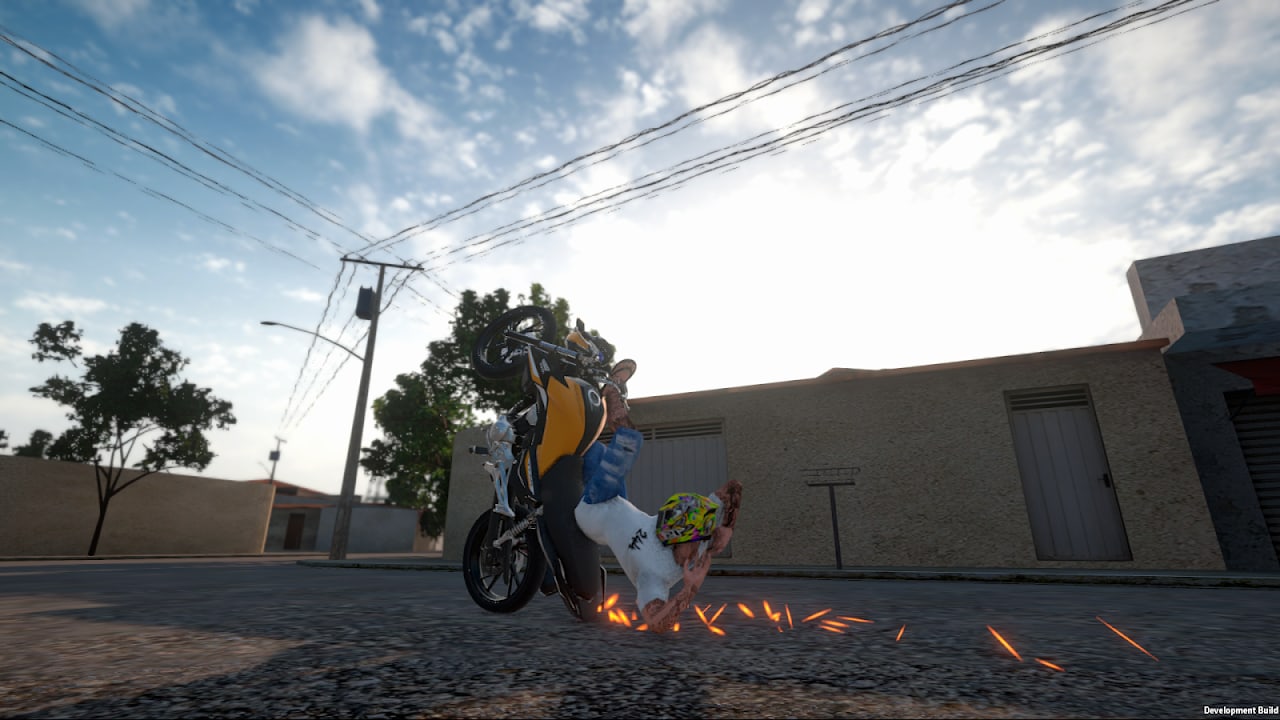
This page exists so you install Street Wheelie Brasil Online the safe way. Villa Games Group publishes the Android build on Google Play under package com.villagamesgroup.swb. We only recommend official links. If a site promises a “unlocked APK,” “mod menu,” or “early IPA,” close it — those installs risk malware, bans, and broken saves.
After install, continue with Getting Started. For FPS on modest hardware, see Performance Settings under Tools.
Official download (Android)
- Open the listing: Street Wheelie Brasil Online on Google Play.
- Confirm the developer line shows Villa Games Group / VILLA GAMES GROUP LTDA.
- Tap Install or Pre-register depending on what the store shows in your region right now.
- Wait for the Play Store to finish; avoid canceling mid-download on unstable data.
- Launch once on Wi‑Fi so any first-run assets can finish cleanly.
Store ratings observed around Teen / 3+ style age labels can vary by storefront localization — always read the live rating on your own Play Store page.
Pre-register and early-access era notes
Around the November 2026 window the game sits in a pre-register / early-access style rollout: the Play listing is live while features, bikes, and online services continue to land. Google Play showed an Updated on Nov 13, 2026 freshness stamp on the listing — treat that as a store signal to refresh the client, then skim November 2026 Updates for what changed in that window. That means:
- Buttons may say Pre-register, Install, or update prompts depending on your account and country.
- Feature lists on the store page can change after you first tap through.
- Wiki guides emphasize durable skills (wheelies, spending discipline) because menus will move.
Watch Updates after every noticeable patch. Follow Villa Games Group on Instagram and Discord for soft-launch timing.
iOS status
iOS is planned, not treated here as a guaranteed same-day App Store twin. Until Villa Games Group posts an official iOS listing, do not sideload random files claiming to be SWB for iPhone. When iOS goes live, this wiki’s update notes should call it out — then install only from Apple’s official store.
Device tips for weaker phones
A selling point of Street Wheelie Brasil Online is optimization for weaker phones, which matters for Brazilian street audiences who do not all carry flagship hardware. Still take care:
- Storage: keep several free gigabytes before install and after first patch.
- Heat: remove thick cases during long online sessions if the device thermal-throttles.
- Network: multiplayer with friends needs stable data; Wi‑Fi is kinder for first launches.
- Battery: charge above 50% for first configuration so the phone does not die mid-tutorial.
- Background apps: close heavy tabs before practicing wheelies; frame time spikes ruin feathering.
If the game runs but feels sticky, lower graphics early rather than blaming physics. Controls advice lives on Controls.
Verify you have the real app
Checklist:
- Package / store ID matches
com.villagamesgroup.swb. - Developer matches Villa Games Group.
- You arrived from Google Play or an official studio link — not a forwarded APK in a chat.
- Studio homepage villagamesgroup.com does not ask you to disable Play Protect to “finish install.”
- Privacy information can be reviewed via swb.villagamesgroup.com.
Villa Games Group also made 157 Grau: Online RP. Similar branding in the ecosystem is normal; still install SWB from its own listing rather than assuming every grau-titled APK is legitimate.
After install — first thirty minutes
- Complete onboarding prompts.
- Find throttle, brake, and balance inputs.
- Do a calm street loop before any long grau.
- Ignore shady “free ROBUX-style” code sites; use only our Codes hub for legitimate rewards.
- Set a money rule before opening the garage — see Jobs & Money.
Then deepen skills with How to Wheelie and Customize Motorcycle. Browse the Guides Hub whenever a new system unlocks.
Regional and account gotchas
- Wrong Google account country: some soft launches appear unevenly. Try the official listing while logged into your main Play account; avoid VPN “fixes” that break payments.
- Shared family devices: make sure the installing account is the one you want holding purchases and progress.
- Storage permission prompts: allow what the store and OS require; denying core permissions often causes black screens that look like “broken APKs.”
- Duplicate icons: uninstall unknown clones, keep the Play-installed package.
What we will never recommend
- Third-party APK mirrors
- Paid “save editors” from random Telegram channels
- Fake iOS enterprise certificates
- Videos that tell you to disable Play Protect to install SWB
- Any download that is not Google Play or a future official App Store page
Those shortcuts are how accounts and phones get burned.
Official link kit
Keep this short list:
- Game: Google Play — Street Wheelie Brasil Online
- Studio: Villa Games Group
- Discord: discord.gg/TxNGUm4sy
- Instagram: @villagamesgroup
- Privacy: swb.villagamesgroup.com
When the install finishes, you are ready for Brazilian open-world streets, jobs, customization, and online rides. Download safe, then ride smart.
Frequently Asked Questions
Quick answers about Street Wheelie Brasil Online.
Where do I download Street Wheelie Brasil Online safely?
Only from the official Google Play listing for package com.villagamesgroup.swb by Villa Games Group. Do not use random APK sites.
Is the game on iPhone yet?
iOS is planned. Until an official App Store listing exists, skip sideloaded IPAs that claim to be the game.
What does pre-register mean on the Play Store page?
It signals interest so you get notified when install unlocks in your region. The listing may switch between pre-register and install during rollout.
Can weaker phones run Street Wheelie Brasil Online?
The game is marketed as optimized for weaker devices. Still free up storage, manage heat, and lower graphics if frame rate dips.
How do I know a download site is fake?
Any mirror asking you to disable Play Protect, pay outside Google Play, or install an unlocked APK is unsafe. Use the official store link only.
What should I do right after installing?
Finish onboarding, learn controls, take a calm first ride, then follow the Getting Started guide before big garage spends.