Street Wheelie Brasil Online Mobile Controls Guide
Throttle, brake, and balance habits for phones — honest where exact binds are still unpublished.
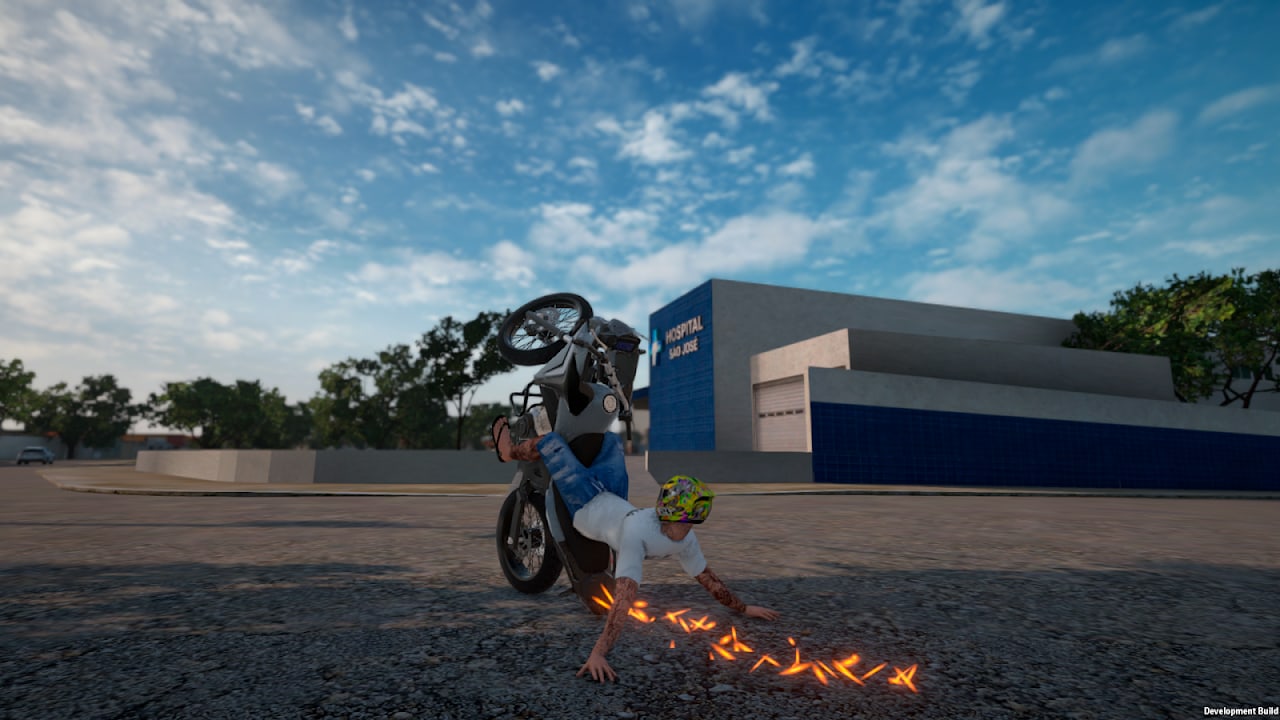
Street Wheelie Brasil Online is a mobile motorcycle game. Your thumbs are the gearbox, clutch metaphor, and gyro substitute. Villa Games Group’s public gameplay emphasizes readable on-screen driving: throttle to go, brake to scrub speed, and balance inputs that decide whether a grau lives or loops. This guide gives practical touch advice based on typical wheelie mobile games plus what SWB shows in official spoiler footage — and it stays honest wherever exact button icons or advanced keybinds are not frozen in early access docs.
Use this with Getting Started and How to Wheelie. If frames stutter, fix that first via Performance Settings.
Honesty note on unpublished binds
During pre-register / early-access periods, Villa Games Group can relocate buttons, add assist toggles, or change camera defaults. We will not invent a fake PC keybind table or claim a definitive “press X” chart that is not published. Instead, learn roles:
- Throttle: adds speed and raises the front when you are in a lift.
- Brake: kills speed; may help recovery depending on which brake the build models.
- Steer / lean / balance: keeps the bike in the corridor and modulates the wheelie envelope.
- Camera / look: optional but dangerous if you fiddle mid-hold.
Open the in-game settings on your build and note what actually appears. If a patch renames a slider, the habits below still apply.
Recommended hand posture
Most riders do best with a two-thumb layout: left side for steering/balance clusters, right side for throttle/brake. Landscape orientation is the default expectation for this genre — portrait play usually fights the camera.
Tips:
- Rest the phone on soft fingers, not a death grip that smudges half the screen.
- Enable any available touch region customization if the build offers drag-to-move controls; put throttle where your right thumb naturally lands.
- Turn off accidental system gestures (edge back swipes) if your phone steals inputs mid-wheelie.
- Clean the screen. Grease latency is real.
Throttle discipline on a touchscreen
Touch throttles are either digital buttons or analog axes. Either way, feathering wins:
- Prefer partial press / partial axis over slamming 100%.
- Practice pulse inputs while stationary camera watches a straight road.
- When the front rises too fast, release early — do not wait for the loop animation to start.
- Rebuild throttle smoothly after a correction instead of bouncing 0–100–0.
If your device supports higher touch sample rates or “touch sensitivity” modes, try them during practice, not during a paid job route.
Braking without panic
Brake inputs on mobile often feel binary. Counter that:
- Brake earlier than you would in a console sim; you lack pedal modulation hardware.
- Straighten before heavy braking when possible.
- After a failed wheelie, brake only once the front is committing down — mid-air panic brake can upset some physics setups.
- Learn whether your build separates front/rear visually; if only one brake control exists, treat it as a general scrub and adapt.
Balance and steering while the front is light
Steering authority drops when the front tire is airborne. That is physics, not a bug. Training goals:
- Make direction decisions before the lift when learning.
- Use tiny corrections inside the balance band; large swipes are how you high-side into props.
- If a gyro option exists and feels good, calibrate on a table first. If gyro fights you, disable it — many riders prefer pure touch for grau games.
Online multiplayer adds social pressure. Mute the dareboxing until your thumbs can recover a tip-up without looking at chat.
Camera and UI clutter
Official gameplay trailers show readable HUDs, but your phone’s notch, punch-hole, and gesture bar still steal pixels. Actions:
- Use immersive / hide-gesture modes if stable on your Android version.
- Lower HUD scale if the setting exists and blocks the horizon.
- Do not open the garage UI while rolling.
- Keep the Codes redemption flow for stationary menus only.
Settings pass for control comfort
Work through a short checklist every major patch:
- Control scheme preset (if multiple).
- Steering sensitivity — start medium; high sensitivity plus wheelies is chaotic.
- Throttle/brake opacity — visible enough to hit, transparent enough to see asphalt.
- Vibration — helpful feedback for some, laggy distraction for others.
- Graphics vs FPS — controls feel better at stable frame times than at prettier stutters.
Then validate on a flat street with ten short lifts before you trust the layout in traffic.
Common control mistakes
- Covering the throttle with the entire thumb pad so micro-feathering is impossible.
- Steering with the same thumb that manages throttle on cramped phones (consider a wider device posture or claw carefully).
- Looking down at your thumbs instead of the road.
- Changing three sensitivities at once so you cannot tell what helped.
- Practicing only after a heated gaming session when sweat destroys accuracy.
Linking controls to progression systems
Better control saves money. Clean job finishes fund the garage in Jobs & Money. Predictable throttle makes exhaust upgrades in Customize Motorcycle enjoyable instead of terrifying. Tier decisions on the Tier List should include “can I modulate this powerband on a touchscreen?” — not only peak flex.
New installs should still come from Download & Install official links only. Watch Updates when Villa Games Group ships control reworks; re-run this checklist instead of assuming old muscle memory.
Practice routine for thumbs
Five minutes — axes: roll in a straight line varying throttle in tenths.
Five minutes — stops: brake to a marker without swerving.
Ten minutes — lifts: short graus with soft landings from the wheelie guide.
Five minutes — recovery: deliberately enter the high zone at low speed and save it.
Stop when hands cramp. Fatigue creates loops.
Accessory notes
Bluetooth controllers may work on Android for some titles, but SWB’s fantasy is built around phone-first street play. If you experiment with a pad, remember teammates on pure touch may not share your inputs — and early access support can be incomplete. This wiki will not invent a full controller map until official documentation exists.
Stay flexible during early access
Villa Games Group continues shaping Street Wheelie Brasil Online after the Play Store listing went live, with iOS planned later. Controls will get polish. Your competitive advantage is not memorizing a rumor spreadsheet — it is building durable habits: feather throttle, brake early, correct small, and keep FPS stable. When the next UI skin arrives, those habits transfer.
For the full tutorial map, return to the Guides Hub. Ride clean, thumbs light, front wheel intentional.
Frequently Asked Questions
Quick answers about Street Wheelie Brasil Online.
Are exact Street Wheelie Brasil Online keybinds published?
Not as a frozen official chart in early access. Learn throttle, brake, and balance roles in your build’s settings, and re-check after patches.
Should I use gyro controls?
Only if calibration feels natural. Many mobile wheelie players prefer pure touch; disable gyro if it fights your balance corrections.
Why does steering feel weak during a wheelie?
With the front tire light or up, steering authority drops. Plan direction before the lift and use tiny corrections in the balance band.
How can I make throttle less on/off on a phone?
Use partial presses, practice pulse feathering on a straight road, and move the throttle control to a comfortable thumb zone if customization exists.
Do low frame rates affect controls?
Yes. Unstable FPS makes micro-corrections harder. Lower graphics and see the Performance Settings tool page if your device heats up.